DNS Record Types Explained
Self-taught Engineer | Disassembled my first PC at 16, been building ever since | Hardware fundamentals to software and coding| Obsessive learning | Built from scratch to scale
Ever wondered how your browser actually knows where a website lives on the internet? You type google.com or hashnode.com, and within milliseconds, the page appears on screen. But behind the scenes, there isn't some magic happening. There is a system doing all the stuff to bring you results called DNS.
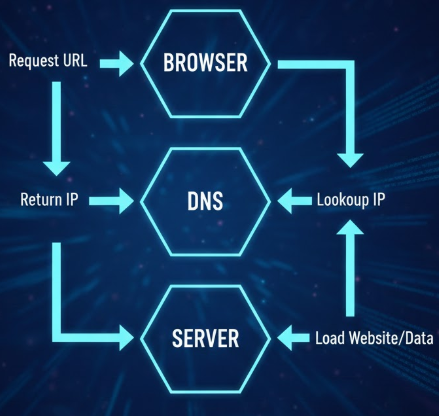
If you've ever felt intimidated by terms like "A Records" or "CNAMEs," don't worry. By the end of this article, you’ll see that DNS is just a simple set of instructions that keeps the internet organized.
What is DNS ??
Think of the internet as a massive city. Every building (website server) has a specific coordinate called an IP Address (like 192.168.1.1). Humans are terrible at remembering coordinates, but we’re great at remembering names like → Hashnode and Google.
DNS is the phonebook of the internet. It translates the names we type into the numbers that computers need.
Why do we need "Records"?
If DNS is the phonebook, then DNS Records are the individual entries in that book. A single "contact" in your phone might have a home number, a work number, and an email address. Similarly, a single domain name (like mysite.com) has different records to tell the internet where to find the website, where to send emails, and how to verify who owns the site.
Let's break down -
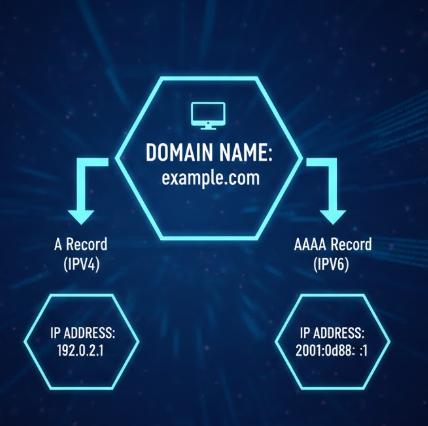
1. The NS Record (The Manager)
NS stands for Name Server. Before a browser can ask for your website's address, it needs to know who is "in charge" of your domain's information. The NS record points to the provider (like GoDaddy, Cloudflare, or Route53) that holds all your other records.
- Real-life example: If you want to find any teacher in school, you first go to the Teachers Common Room. The NS record is that room.
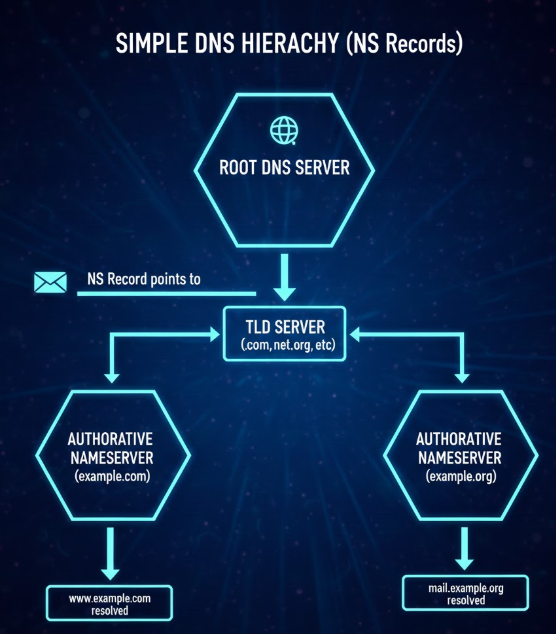
2. The A Record (The Classic Address)
The A stands for Address. This is the most fundamental record. It maps a domain name directly to an IPv4 address (the classic number format like 104.26.10.228).
What problem it solves: It tells the browser exactly which "building" to go to.
A Record:
mysite.com→93.184.216.34
3. The AAAA Record (Future Address)
Since the world is running out of old IPv4 addresses, we created IPv6, which are much longer addresses (like 2606:4700:20::681a:ae5).
An AAAA Record (pronounced "Quad-A") does the exact same thing as an A record, but for these newer, longer IPv6 addresses.
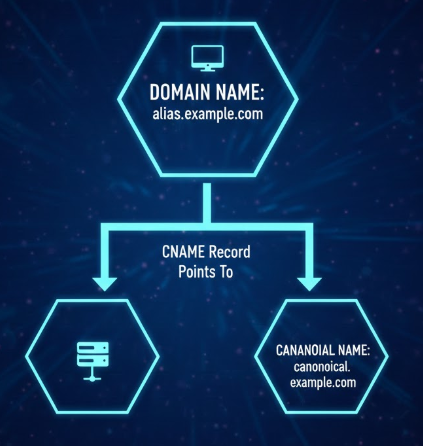
4. The CNAME Record (The Alias)
CNAME stands for Canonical Name. Instead of pointing a name to a number (IP), a CNAME points one name to another name.
What problem it solves: Imagine you want
www.mysite.comto go to the same place asmysite.com. Instead of updating two IP addresses every time your server changes, you just tellwwwto "follow whatevermysite.comis doing."CNAME Record:
blog.mysite.com→hashnode.network
Common Confusion: People often ask, "Should I use an A record or a CNAME?"
Use an A record for your main domain (the "root").
Use a CNAME for subdomains (like
blog.orshop.) to point them to other services.
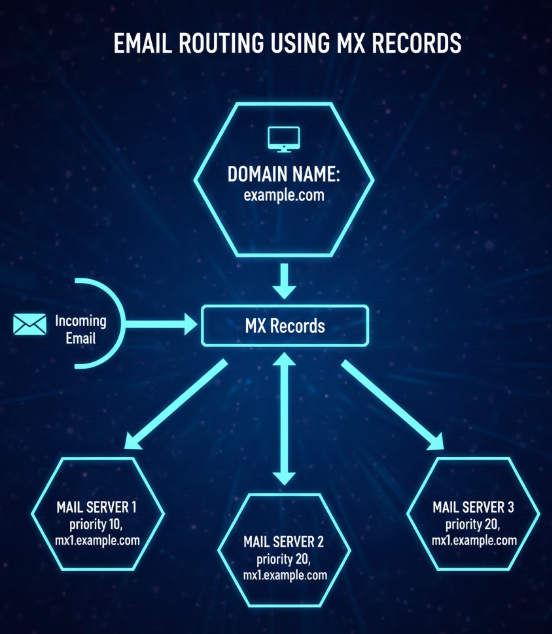
5. The MX Record (The Post Office)
MX stands for Mail Exchanger. This record tells the internet where to send emails addressed to your domain.
If someone sends an email to hello@gmail.com, the internet looks at the MX record to see which mail server (like Gmail or Outlook) should catch it.
- Real-life example: Your house has an address (A record), but your Post Office box is where your mail actually goes.
6. The TXT Record (The "Notes" Section)
TXT records are simply Text records. They don't "direct" traffic anywhere. Instead, they provide information to outside sources.
- What problem it solves: Primarily used for security and verification. When you set up Google Search Console or an email service, they ask you to add a TXT record to "prove" that you actually own the domain. It’s like showing your ID card to a security guard.
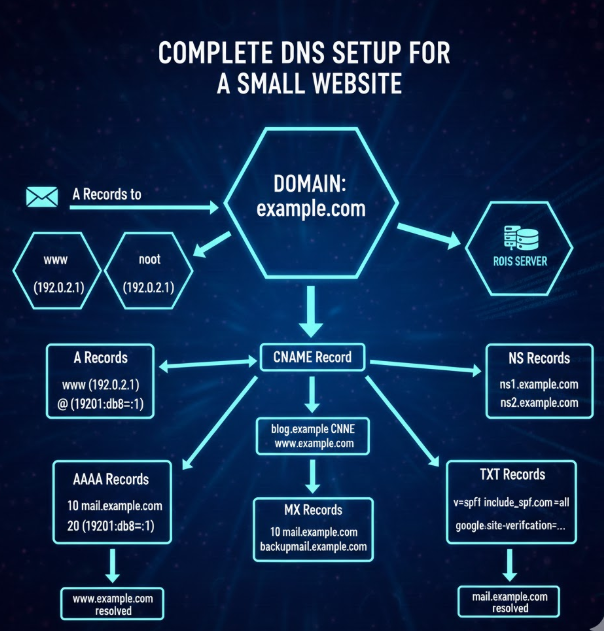
Putting It All Together
How does a real website look in the wild? Let's look at a typical setup for a small business site:
| Record Type | Host / Name | Value (Points to...) | Purpose |
| NS | @ (Root) | ns1.provider.com | Who manages the records |
| A | @ (Root) | 123.45.67.89 | The main website server |
| CNAME | www | mysite.com | Redirects www to the main site |
| MX | @ (Root) | mail.google.com | Handles all incoming emails |
| TXT | @ (Root) | v=spf1 include:_spf... | Verifies the site for email security |
Wrapping Up
DNS records might seem very complex, but they are just the directions that make the internet navigable.
NS finds the office.
A finds the building.
MX finds the mailbox.
CNAME creates a nickname.


